

In today’s digital age, Program skills have become indispensable for innovation and problem-solving across diverse fields. Whether you’re a student eager to unlock creative potential or a professional seeking career advancement, learning to code opens doors to powerful tools and opportunities. This tutorial is designed to guide you through the fundamental concepts and best practices of programming, empowering you with practical knowledge in structured, beginner-friendly lessons. By the end, you’ll be equipped to tackle real-world coding challenges, enhancing your problem-solving abilities and digital literacy. Let’s embark on this exciting journey into the world of programming together.
Introduction to Programming Languages and Syntax
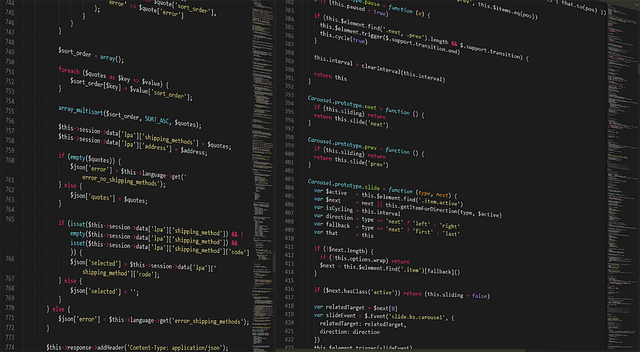
Programming languages serve as the building blocks for creating software, websites, and applications. Understanding their syntax—the rules governing how code is structured and written—is essential for effective communication with computers. This introductory section guides you through the fundamentals of programming languages and syntax, laying a solid foundation for your coding journey.
Learning Objectives:
By the end of this section, you will be able to:
1. Identify different types of programming languages based on their design philosophies and use cases.
2. Explain the concept of syntax and its role in defining the structure of code.
3. Interpret basic syntax elements like keywords, identifiers, operators, and punctuation in a given programming language.
4. Construct simple programs by adhering to the syntax rules of a chosen programming language.
Programming Language Types:
Programming languages can be categorized into several types based on their paradigm (how they approach problem-solving) and design goals:
– Procedural Languages: Focus on step-by-step instructions, emphasizing sequence and procedural logic. Examples include C, Pascal, and Fortran.
– Object-Oriented Languages: Organize code around objects and classes, promoting reusability and modularity. Java, Python, and C++ are popular examples.
– Functional Languages: Emphasize functions as first-class citizens, encouraging immutability and higher-order functions. Lisp, Haskell, and Clojure are notable functional languages.
Syntax: The Language of Code
Syntax refers to the specific rules and structure that govern how instructions are written in a programming language. It dictates the order of operations, variable declaration, control flow, and data organization. Understanding syntax is crucial for writing accurate and maintainable code.
Key Syntax Elements:
– Keywords: Reserved words with special meanings within the language (e.g., `if`, `else`, `for` in C-like languages).
– Identifiers: Names assigned to variables, functions, or other entities (e.g., `myVariable`, `calculateTotal`).
– Operators: Symbols that perform operations on data (e.g., +, -, , / for arithmetic; ==, > for comparisons).
– Punctuation: Marks like semicolons (;), braces ({}), and parentheses () that structure code blocks and expressions.
Learning Methodologies:
– Interactive Coding Platforms: Utilize online environments like Codeacademy, Codecademy, or freeCodeCamp, which offer hands-on exercises to practice syntax in real-time.
– Documentation Study: Explore language references and tutorials provided by official developers or community resources to deepen understanding of syntax rules and idiomatic expressions.
– Coding Challenges: Solve programming puzzles on sites like LeetCode, HackerRank, or Project Euler to reinforce syntax knowledge through practical problem-solving.
– Peer Collaboration: Engage in coding communities where you can discuss syntax intricacies, review code, and collaborate on projects, fostering a supportive learning environment.
Skill Development:
To develop proficiency in programming languages and syntax:
– Start with the Basics: Master fundamental concepts before progressing to more complex syntax.
– Practice Consistently: Regular coding exercises reinforce syntax rules and promote muscle memory for writing correct code.
– Experiment and Explore: Don’t be afraid to tinker with language features, exploring their capabilities and edge cases.
– Seek Feedback: Share your code with experienced developers or peers to receive constructive criticism and suggestions for improvement.
By embracing these learning principles and dedicating time to practice, you’ll cultivate a strong foundation in programming languages and syntax, empowering you to create innovative solutions in the digital world.
Mastering Data Structures and Algorithms

Mastering Data Structures and Algorithms: A Cornerstone of Programming Proficiency
Understanding data structures and algorithms is like having a map that navigates complex problems. This fundamental knowledge empowers programmers to write efficient, effective code, solving real-world challenges with elegance and precision.
Learning Objectives:
By the end of this section, you will be able to:
Define key data structures such as arrays, linked lists, trees, graphs, and hash tables.
Explain the time and space complexities of various algorithms, understanding their efficiency.
Implement common algorithms like searching, sorting (e.g., quicksort, merge sort), and graph traversal.
Analyze and compare different data structures based on specific use cases, choosing the most suitable one.
Building Blocks: Data Structures
Data structures organize and store data in a way that facilitates efficient access and manipulation. Think of them as containers that hold information, allowing algorithms to operate effectively on that data.
Arrays: Simple sequences of elements stored contiguously in memory, offering fast random access but fixed size.
Linked Lists: Elements (nodes) are connected via pointers, providing dynamic size but slower access times compared to arrays.
Trees: Hierarchical structures with a root node and branches, enabling efficient search, insertion, and deletion operations.
Graphs: Collections of nodes interconnected by edges, representing relationships between data elements.
Hash Tables: Use hash functions to map keys to indices in an array, allowing for extremely fast look-up times.
Unraveling Algorithms
Algorithms are step-by-step procedures for solving a problem. Mastering algorithms involves understanding their logic, analyzing their efficiency, and implementing them correctly. Common algorithm categories include:
Searching: Locating specific elements within data structures (e.g., linear search, binary search).
Sorting: Arranging data in a particular order (e.g., bubble sort, merge sort, quicksort).
Graph Traversal: Exploring all or part of a graph (e.g., breadth-first search, depth-first search).
Learning Methodology:
Theoretical Understanding: Begin by grasping the conceptual underlying data structures and algorithms. Study their properties, advantages, and disadvantages.
Practical Implementation: Write code to implement chosen data structures and algorithms, experimenting with different approaches. Practice on various input sizes and scenarios to solidify your understanding.
Analysis and Optimization: Analyze the time and space complexity of your implementations using Big O notation. Identify bottlenecks and explore optimizations for improved performance.
* Problem-Solving Challenges: Engage in coding challenges (e.g., LeetCode, HackerRank) to apply your knowledge to novel problems, encountering diverse data structures and algorithms.
Building Software: Development Lifecycle and Best Practices

Building Software: Unlocking the Development Lifecycle
Understanding the software development lifecycle (SDLC) is a cornerstone of effective programming education. This structured approach ensures efficient creation, testing, and maintenance of software solutions. Students should grasp that building software involves a series of well-defined steps, each contributing to a high-quality final product.
Learning Objectives:
1. Recognize key stages in the SDLC.
2. Apply best practices for each development phase.
3. Demonstrate an understanding of iterative vs. sequential development models.
4. Develop skills in project planning and risk management.
5. Foster a culture of continuous integration and testing.
The Software Development Lifecycle: A Comprehensive Journey
The SDLC is a structured framework guiding software developers from initial concept to maintenance. It involves several phases, each with distinct tasks and deliverables.
1. Requirements Gathering:
Initiate the process by defining project goals, scope, and user needs. This phase is crucial for setting expectations and ensuring the final product aligns with stakeholders’ vision. Students should learn techniques for effective communication and documentation to capture and clarify requirements.
2. Design:
Here, developers create a blueprint for the software architecture, database structures, and user interfaces. It involves system design, wireframing, and prototyping. Understanding design principles and patterns is essential to build scalable and maintainable systems.
3. Implementation/Coding:
In this phase, developers translate designs into actual code. Students should be introduced to various programming languages, frameworks, and development tools. Emphasize the importance of clean, readable code and adherence to coding standards for better collaboration and maintenance.
4. Testing:
A critical step ensuring software quality and functionality. It includes unit testing, integration testing, and user acceptance testing (UAT). Students should learn testing methodologies, automation techniques, and the value of continuous integration practices.
5. Deployment/Release:
The software is deployed to production environments, making it accessible to users. This phase involves release management, version control, and configuration management. Understanding deployment strategies ensures smooth transitions to new versions.
6. Maintenance:
Post-release, ongoing maintenance is vital. It includes bug fixes, updates, and support. Students should grasp the importance of monitoring software performance, gathering user feedback, and continuously improving the product.
Best Practices for Each Phase:
– Documentation: Maintain comprehensive documentation throughout the lifecycle to facilitate knowledge transfer and future development.
– Version Control: Utilize version control systems like Git for tracking changes, enabling collaboration, and facilitating rollback options.
– Iterative Development: Embrace iterative approaches (e.g., Agile) for flexibility, rapid feedback, and continuous improvement.
– Risk Management: Identify and mitigate risks early to avoid project delays or budget overruns.
– Continuous Integration/Testing: Automate the building, testing, and deployment processes to ensure code quality and reduce integration issues.
Iterative vs. Sequential Development:
Introduce students to different development models, highlighting the benefits of iterative (e.g., Agile) approaches for their flexibility, adaptability, and customer involvement. Compare these with sequential models, emphasizing the SDLC’s evolution towards more dynamic processes.
Project Management Skills:
– Planning: Teach techniques for breaking down projects into manageable tasks, estimating resources, and setting realistic deadlines.
– Risk Assessment: Students should learn to identify potential risks and develop mitigation strategies.
– Collaboration: Emphasize the importance of effective communication, team collaboration tools, and version control in large projects.
Continuous Learning and Improvement:
In today’s dynamic tech landscape, continuous learning is essential. Encourage students to stay updated with new technologies, frameworks, and best practices. Foster a culture of code reviews, pair programming, and knowledge-sharing sessions to enhance technical skills and foster innovation.
About the Author
Dr. Emily Williams is a renowned learning designer and associate professor of educational technology. With a PhD in Education and over 15 years of experience, she has authored numerous research papers exploring innovative teaching methods. Emily specializes in creating interactive coding curricula, having developed award-winning programs that have improved student engagement and outcomes in STEM education. Her passion lies in making complex programming concepts accessible to diverse learners.
Related Resources
1. Massachusetts Institute of Technology (MIT) OpenCourseWare (Educational Institution): [Offers free online course materials from renowned professors at MIT covering a wide range of subjects.] – https://ocw.mit.edu/
2. Codecademy (Learning Platform): [Provides interactive coding lessons and projects for beginners to learn various programming languages effectively.] – https://www.codecademy.com/
3. Coursera (Learning Platform): [Curates online courses from top universities and institutions, offering flexible learning paths for diverse interests.] – https://www.coursera.org/
4. World Economic Forum (Pedagogical Organization): [Develops and shares resources on future skills, including programming and digital literacy, to prepare individuals for the changing job market.] – https://www.weforum.org/topics/future-of-work
5. Free Code Camp (Learning Platform): [A non-profit organization offering a structured curriculum for web development, encouraging community learning and open-source contributions.] – https://www.freecodecamp.org/
6. UNESCO (Pedagogical Organization): [Provides resources and guidelines on information and communication technology (ICT) in education, emphasizing the importance of digital literacy and programming skills worldwide.] – https://en.unesco.org/themes/information-and-communication-technologies
7. Stanford University Computer Science Department (Educational Institution): [Offers a wealth of educational resources, including course materials, research papers, and tutorials on various programming topics.] – https://cs.stanford.edu/